
Campaign Studio – Pro Plan Feature
Nonprofit email campaigns, build right into DonorSnap
Design an appeal, newsletter or event invitation, send it to the right supporters and see how it performed, all without leaving your donor database.
Create your email list
DonorSnap’s powerful query builder, DataMiner Platinum, makes it easy to select your email lists based on email preferences as well as constituent history. Target your emails to your lapsed donors, your volunteers, or the people who gave to the same campaign last year. Any data in your database can be used to help build your list exactly how you want it.

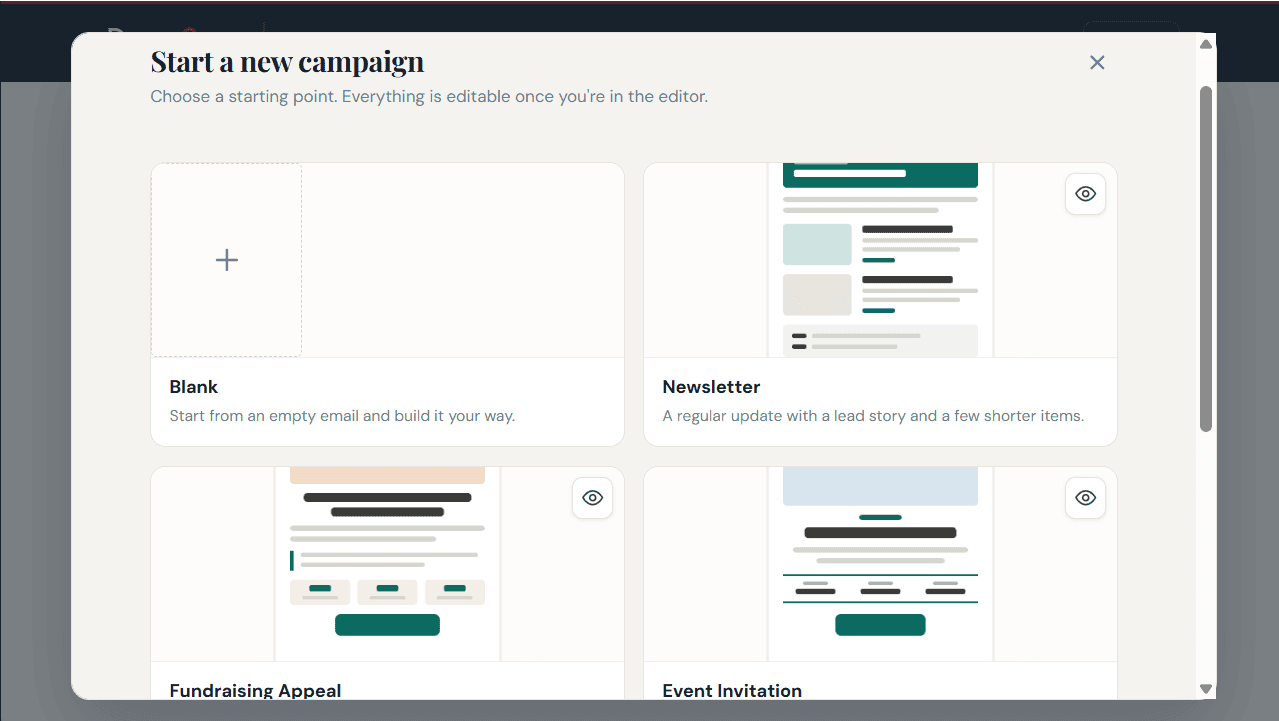
Start with a template, or a blank page
Pick a ready-made template for the emails nonprofits send most: a newsletter, a fundraising appeal or an event invitation. Swap in your logo, photos and words, or start from a blank email and design your own.
Drag, drop and rearrange
Every headline, photo and button is a block you can move with your mouse. The editor shows your email as supporters will see it, with no code to learn. Your photos and logos are stored right inside Campaign Studio, ready whenever you need them.

Catch mistakes before you send
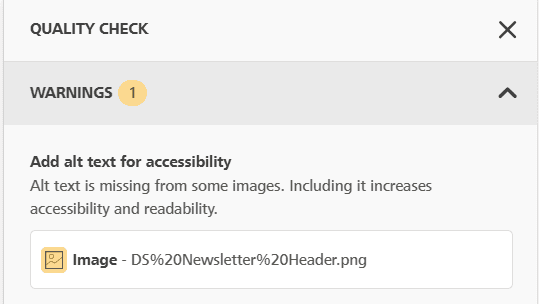
The built-in Quality Check reviews your email and flags issues like missing alt text, links and buttons that go nowhere, hard-to-read color combinations and oversized images. Each warning explains the problem and how to fix it.
Looks right in every inbox
Campaign Studio is designed to work with all major email providers, including Outlook. Your email holds its layout whether supporters open it in Outlook, Gmail, Apple Mail or Yahoo.
Send now or schedule for later
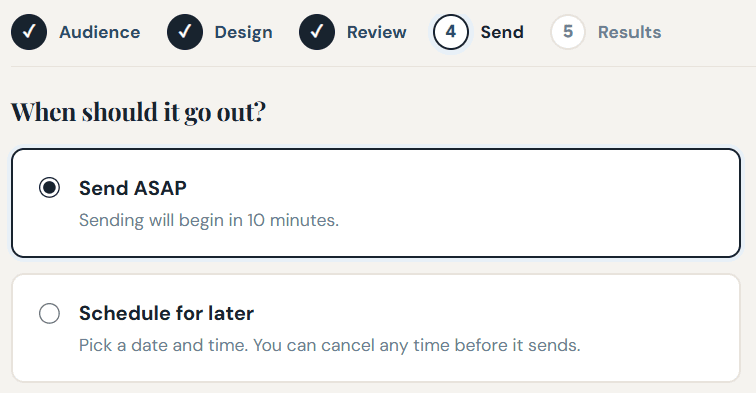
Write your subject line and preview text, then send right away or schedule it for the perfect moment. Scheduled emails can be canceled any time before they go out.
DonorSnap
555 S Industrial Dr. Suite #6
Hartland, WI 53029
262-696-9561
Online Donation Platform & Fundraising Software for Nonprofits


